



How to set multi times weigh of multihead weigher
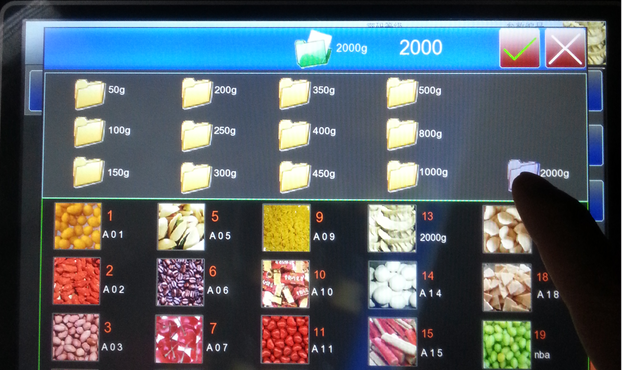
First, open recipe(for example, if use 10 head weigher weigh 4000g, weighingtwice, open recipe of weighing 2000g)
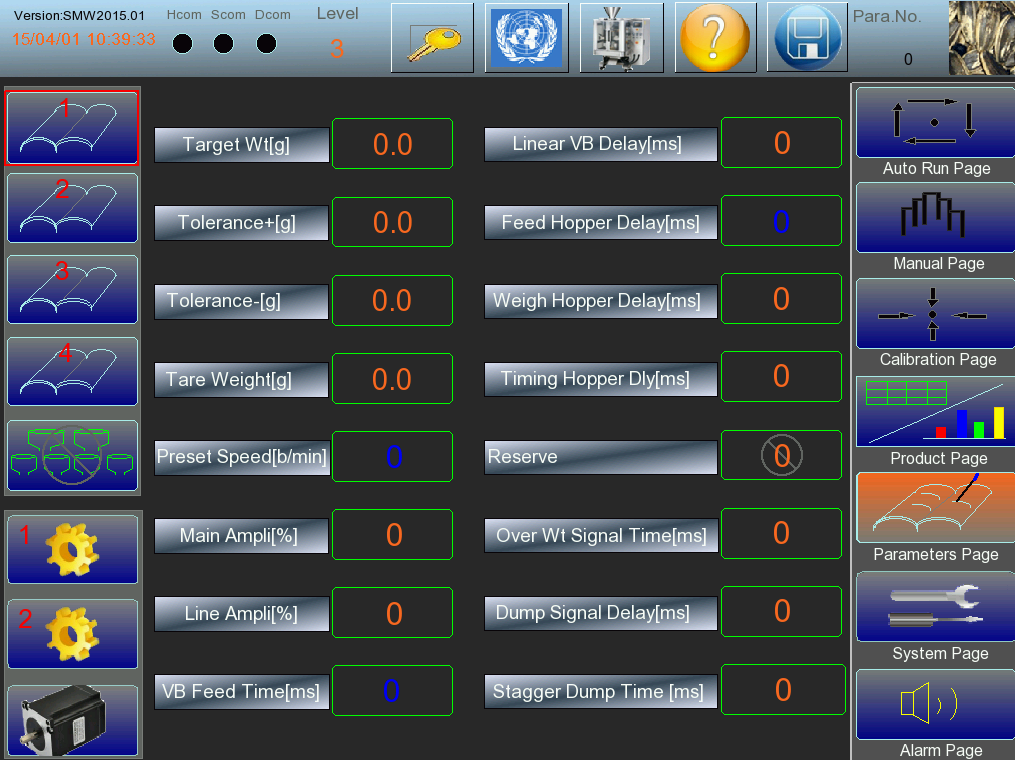
Open the first page of parameter setting interface, change target weight to4000g.
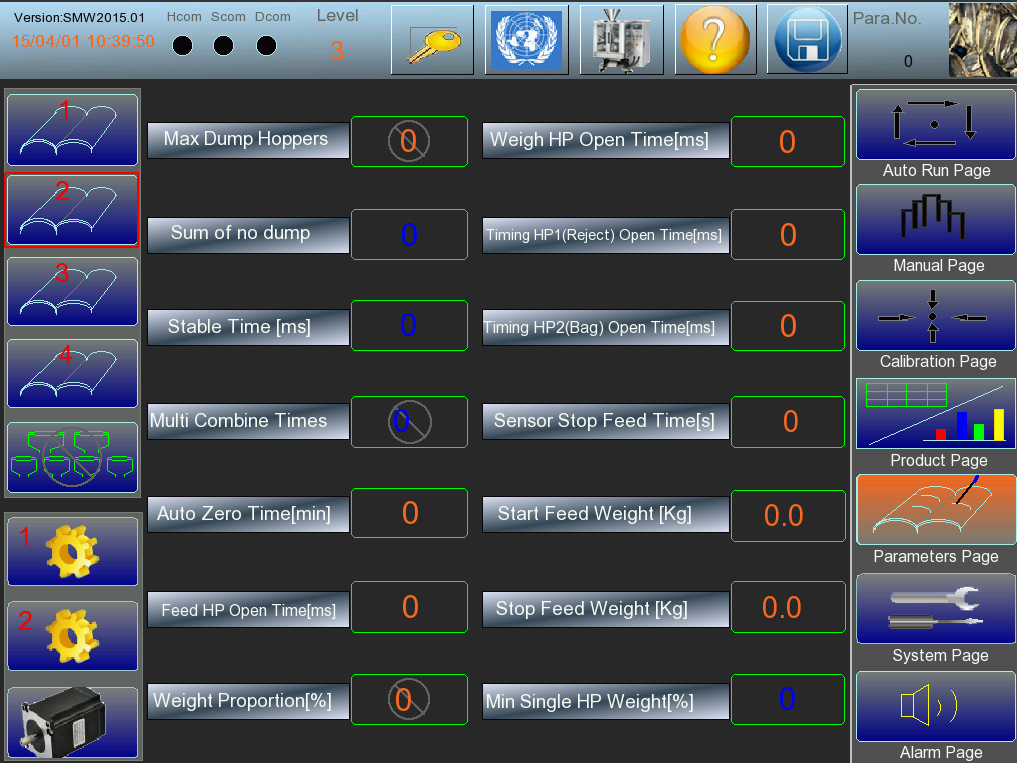
Find parameter of “Multi Combine Times” in the second page of parametersetting interface, change to 2.
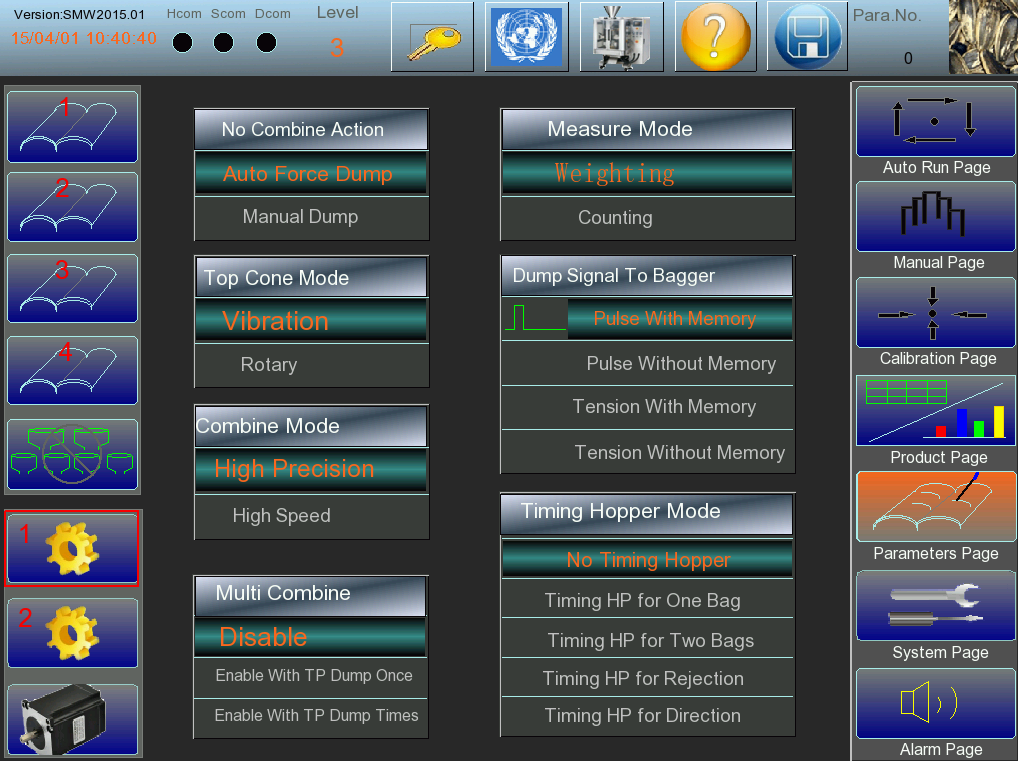
Click the button in the parameter setting interface, then enter the function selection interface, in the case of without timing hopper, change“Multi Combine” function to “Enable With TP Dump Once” or “Enable With TP Dump Times”. If have timing hopper, then can according to material choose ifneed timing hopper dump times.
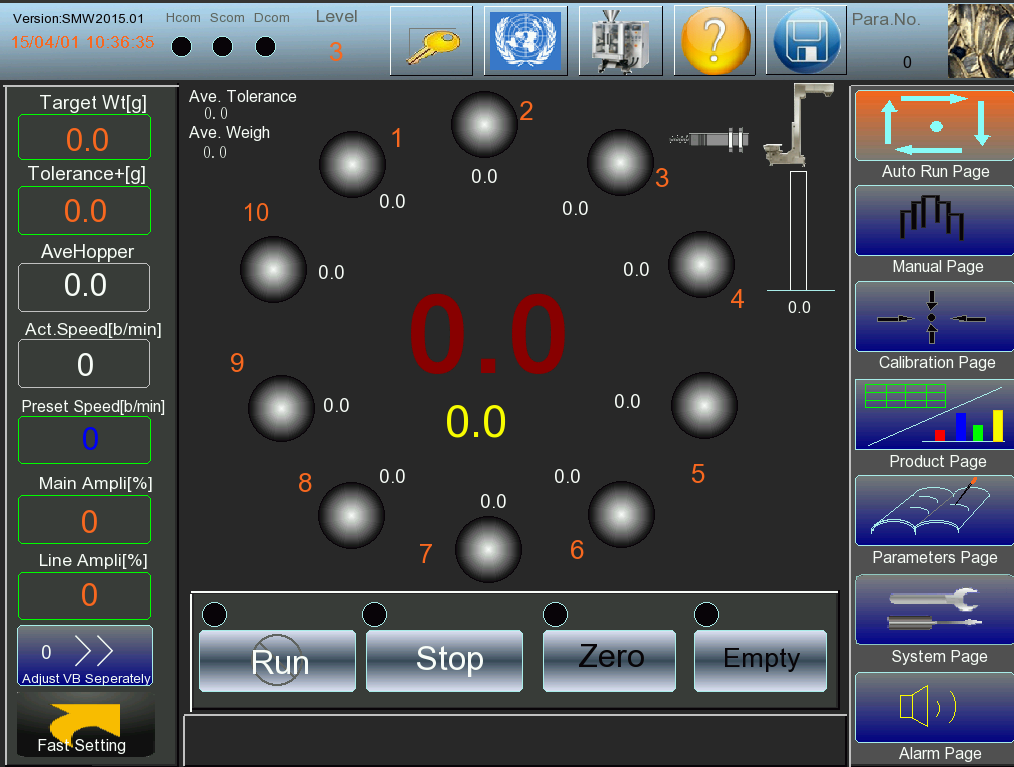
Save recipe after set parameter, return run page, after click “Zero” then it run.

Smart Weigh is a global leader in high-precision weighing and integrated packaging systems, trusted by 1,000+ customers and 2,000+ packing lines worldwide. With local support in Indonesia, Europe, USA and UAE, we deliver turnkey packaging line solutions from feeding to palletizing.
Quick Link
Packing Machine